

Staying connected across borders is essential—whether you’re keeping in touch with family, managing business, or traveling. Understanding Spectrum international calling can save you money and avoid surprise fees on your bill.
This complete guide covers everything about Spectrum international calling rates, plans, Spectrum Voice International options, setup steps, and money-saving tips. Ready to make smarter, more affordable calls in 2026? Let’s dive in.
Understanding Spectrum International Calling
Whether you’re a frequent traveler, have friends overseas, or run an international business, understanding your Spectrum international calling options is the first step to stress-free global communication.

What Is Spectrum International Calling?
Spectrum international calling is a service that lets users place calls from the U.S. to friends, family, or business contacts in other countries. The core goal is to make international communication easy and cost-effective.
There are two main ways to use Spectrum international calling:
- Spectrum Voice: Home phone service ideal for those who prefer a traditional landline
- Spectrum Mobile: For smartphones, letting you call abroad directly from your mobile device
Both options integrate smoothly with your existing Spectrum services, so you don’t need separate accounts or providers.
Key Features and Benefits
Spectrum international calling offers flexibility with both unlimited calling plans and pay-per-minute options:
- Unlimited plans: Call over 70 countries for a flat monthly fee
- Pay-per-minute: Ideal for occasional callers who want to pay only for what they use
- HD voice quality: Clear connections using VoIP technology
- Easy management: Activate features, monitor usage, and adjust plans through your Spectrum account
For a closer look at available options, check out the Spectrum Mobile International Plans page. If you’re comparing cable providers, you might also find our Xfinity international calling guide helpful.
Who Needs Spectrum International Calling?
Spectrum international calling is designed for anyone who needs to stay connected across borders:
- Families keeping in touch with relatives overseas
- Small businesses connecting with international clients and partners
- Students and expats calling home while abroad
- Frequent travelers arranging accommodations or handling business
According to Pew Research, over 40% of U.S. households have family overseas—making reliable international calling more important than ever.
Spectrum International Calling Rates by Country (2026)
Understanding Spectrum international rates helps you budget for global communication. Rates vary by destination and whether you’re calling a landline or mobile number.

Top Destinations and Their Rates
Here are sample Spectrum international calling rates for popular destinations in 2026:
| Country | Landline Rate | Mobile Rate |
|---|---|---|
| Canada | $0.02/min | $0.05/min |
| Mexico | $0.05/min | $0.15/min |
| UK | $0.07/min | $0.15/min |
| India | $0.10/min | $0.10/min |
| China | $0.06/min | $0.08/min |
| Germany | $0.08/min | $0.12/min |
| Australia | $0.09/min | $0.13/min |
| Philippines | $0.35/min | $0.37/min |
| Nigeria | $0.20/min | $0.32/min |
| Jamaica | $0.30/min | $0.45/min |
Notice how calling landlines is often cheaper than mobile numbers, especially in regions like Africa and the Caribbean.
Factors Affecting Your Rates
Several factors influence Spectrum international rates:
- Destination country: Popular destinations like Canada and UK have lower rates
- Number type: Landlines usually cost less than mobiles
- Time of day: Some routes may have peak/off-peak pricing
- Your plan: Bundled plans offer better rates than pay-per-use
For more details on understanding international call fees, see our guide to international call fees.
How to Find Current Rates
Rates can change, so always verify before making important calls:
- Online Rate Lookup: Log into your Spectrum account and access the international rate finder
- Spectrum App: View current rates and monitor call activity
- Customer Service: Contact support for specific rates
- Review Your Plan: Confirm your destinations are covered
Spectrum International Plans & Spectrum Voice International
Choosing the right Spectrum international plan can significantly reduce your calling costs.

Types of Plans Available
| Plan Type | Best For | Monthly Cost | Features |
|---|---|---|---|
| Unlimited International | Frequent callers | $5–$15 | Unlimited to 70+ countries |
| Pay-Per-Use | Occasional callers | None | Pay per minute |
| Spectrum Voice International | Home phone users | Varies | Bundled with home phone |
| International Add-Ons | Specific countries | $3–$10 | Discounted rates to select destinations |
Spectrum Voice International
Spectrum Voice International is designed for home phone users who want affordable overseas calling:
- Covers a broad list of countries
- Compatible with landlines and VoIP
- Often bundled with home phone services
- Easy to add to existing Spectrum Voice accounts
For detailed features, visit the Spectrum Voice International Calling page.
Choosing the Right Plan
| User Type | Recommended Plan | Why |
|---|---|---|
| Occasional caller | Pay-per-use | No monthly fee, pay as needed |
| Frequent caller | Unlimited plan | Predictable monthly cost |
| Business user | Add-ons + bundled | Flexibility, wider coverage |
| Home phone user | Spectrum Voice International | Bundled savings |
Review your call history and anticipated usage before picking a plan. For more details on Spectrum Voice, see the sections above covering Spectrum Voice International features and setup.
How to Set Up Spectrum International Calling
Getting started with Spectrum international calling is straightforward. Here’s how to activate and start making calls.

Step 1: Check Eligibility
Before activating, confirm:
- You have an active Spectrum Voice or Spectrum Mobile subscription
- Your device is compatible (home phone connected to Spectrum modem, or compatible smartphone)
- Your plan supports international calling (some require upgrades)
Step 2: Choose Your Plan
Select the Spectrum international plan that fits your needs:
- Unlimited plans: Best for frequent callers to covered countries
- Pay-per-use: Ideal for occasional or unpredictable calling
- Add-ons: For specific countries not in your main plan
Step 3: Activate International Calling
- Log in to your Spectrum account online or via the app
- Navigate to “Voice” or “Mobile” services
- Find “Calling Features” and click “Activate” for international calling
- Review and confirm your plan selection
- Wait for confirmation that activation is complete
Step 4: Make Your First Call
Use the correct dialing format:
011 + Country Code + Area Code + Local Number
Examples:
| Destination | Dial |
|---|---|
| UK | 011 + 44 + area code + number |
| India | 011 + 91 + area code + number |
| Mexico | 011 + 52 + area code + number |
| Germany | 011 + 49 + area code + number |
For a complete list of country codes, see our country codes directory.
Step 5: Monitor Your Usage
Stay in control of your costs:
- Check call logs via your Spectrum account portal
- Set up usage alerts or spending limits
- Review monthly statements for accuracy
- Upgrade or downgrade plans as needed
Tips to Save Money on Spectrum International Calls
Want to keep costs low? Here are proven strategies.
Choose the Right Plan
- Match your plan to your calling habits
- Consider unlimited plans if you call the same countries regularly
- Use pay-per-use for occasional calls
Bundle Services
Combining international calling with other Spectrum services (internet, phone) may unlock discounts. Check out the Spectrum VoIP Review for bundling options.
Use Wi-Fi Calling
If your device and plan support it, Wi-Fi calling can reduce costs, especially when traveling.
Avoid Hidden Fees
- Double-check rates before calling unfamiliar countries
- Watch out for premium numbers with higher rates
- Review your bill monthly for unexpected charges
- Set up spending alerts in your account
Smart Habits
- Schedule calls during off-peak hours if discounted rates apply
- Use call logs to track spending
- Combine Spectrum with app-based solutions for uncovered destinations
Comparing Spectrum to Other Providers
How do Spectrum international rates compare to the competition?
Spectrum vs. Major Carriers (2026)
| Country | Spectrum | AT&T | Verizon | T-Mobile | Vonage |
|---|---|---|---|---|---|
| Canada | $0.02 | $0.07 | $0.05 | $0.05 | $0.01 |
| India | $0.10 | $0.15 | $0.12 | $0.10 | $0.10 |
| UK | $0.08 | $0.10 | $0.09 | $0.10 | $0.02 |
| Mexico | $0.03 | $0.05 | $0.05 | $0.03 | $0.01 |
| Philippines | $0.35 | $0.40 | $0.37 | $0.35 | $0.37 |
Spectrum is competitive, especially for North America. For a deeper comparison, see Best International Calling Plans.
Pros and Cons of Spectrum
Advantages:
- Simple setup if you’re already a Spectrum customer
- Unified billing for all services
- Easy to add or remove features
- Reliable quality on landline and mobile
Drawbacks:
- Higher rates for some regions (Africa, Eastern Europe)
- Not all countries in bundled plans
- Possible hidden fees on premium numbers
Alternative Solutions
If Spectrum international rates don’t fit your needs, consider:
- VoIP apps: WhatsApp, Google Voice offer internet-based calling
- Pay-as-you-go services: No contracts or subscriptions
- Web-based calling: Call from your browser without downloads
Troubleshooting Common Issues
Having problems with Spectrum international calling? Here’s how to fix them.
Calls Not Connecting
- Check your plan’s activation status
- Verify you’re dialing correctly (011 + country code + number)
- Ensure the destination is covered by your plan
- Restart your modem or phone
Poor Audio Quality
- Check your internet connection (for VoIP)
- Move closer to your Wi-Fi router
- Try a wired connection for better stability
Unexpected Charges
- Review your statement for itemized charges
- Check for premium number fees
- Contact Spectrum support to dispute errors
Getting Support
- Online: Spectrum account portal or live chat
- Phone: Customer support line
- In-store: Visit a Spectrum location
ZippCall: A Flexible Alternative
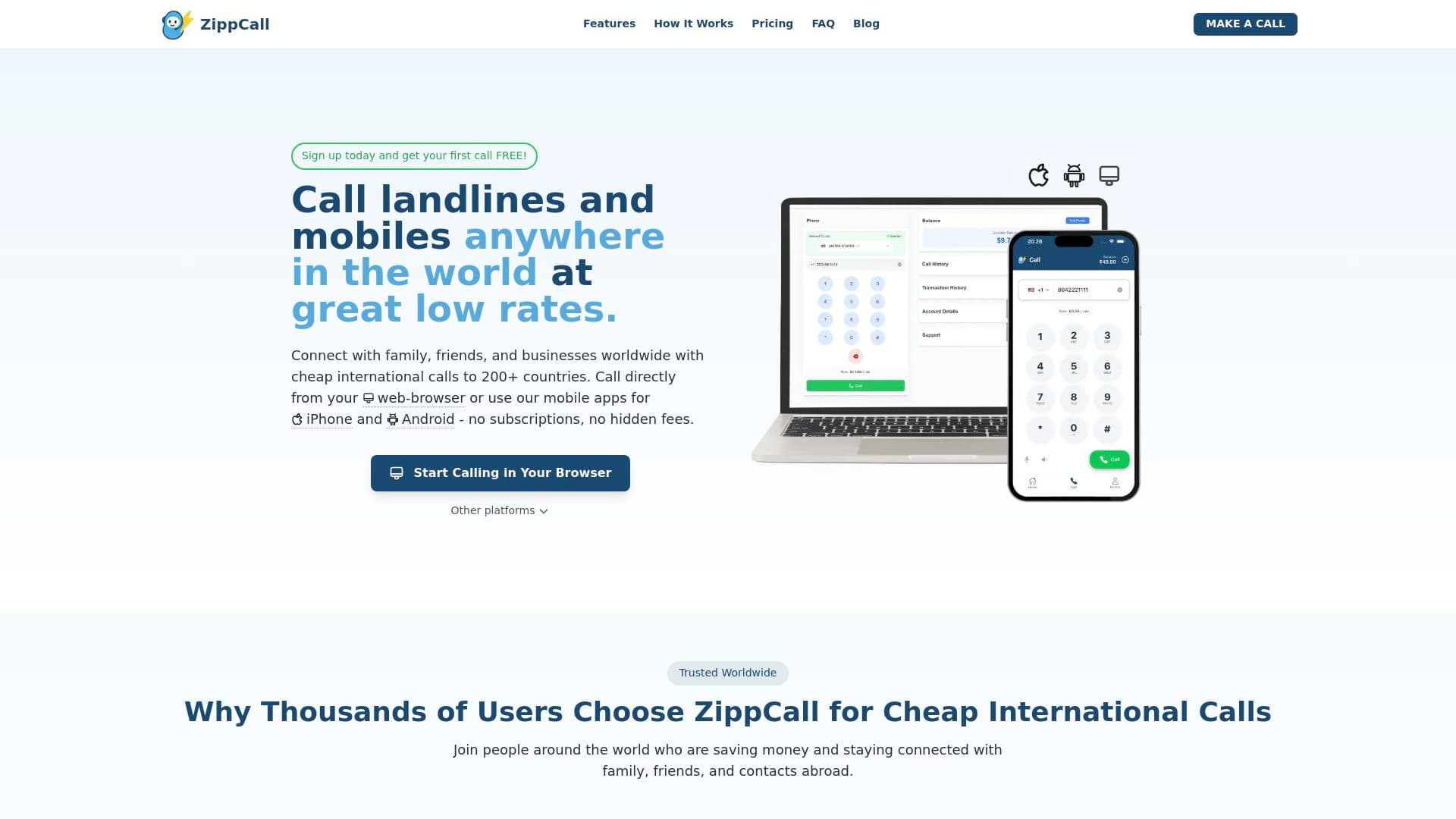
If Spectrum international rates don’t fit your budget or you need more flexibility, ZippCall offers an alternative worth considering.
Why ZippCall stands out:
- Pay-as-you-go: No subscriptions or contracts
- 200+ countries: No exclusions
- Transparent rates: $0.02/min to USA, UK, Canada; $0.17/min to India
- Call from anywhere: Browser, iPhone app, or Android app
- Credits never expire
ZippCall is ideal for users who want flexibility, transparent pricing, and global access—especially if your most-called countries aren’t covered by Spectrum’s plans.
Frequently Asked Questions
What’s the difference between Spectrum Voice International and Spectrum Mobile International?
Spectrum Voice International is for home phone (landline) users, while Spectrum Mobile International is for smartphone users. Both offer international calling but through different services.
How do I check if my destination is covered?
Log into your Spectrum account or contact customer support to verify which countries are included in your plan.
Can I use Spectrum international calling while traveling?
Spectrum Mobile users can use international calling features abroad, but rates and availability vary. Check your plan’s roaming terms before traveling.
What if I call a country not in my plan?
You’ll be charged pay-per-use rates for countries not covered by your unlimited plan. These rates are published in your account.
How do I cancel international calling?
Log into your Spectrum account and navigate to calling features to remove the international calling add-on.
Now that you understand Spectrum’s international calling options, you might want an even simpler way to call abroad. With ZippCall, you can call friends and family worldwide straight from your browser or phone app—no contracts, no subscriptions, just pay-as-you-go rates.Start Calling

Entrepreneur and founder of ZippCall. After years living abroad, Josh built ZippCall to make international calling simple, affordable, and reliable.
Ready to Try ZippCall?
Make affordable international calls on web, iPhone, and Android devices. Crystal-clear quality with competitive rates.
1 minute setup. No subscription required.
You might also like

Vodafone International Calls: The Complete Guide (2026)
Everything you need to know about Vodafone international calls, overseas call rates, and roaming in 2026. Compare plans, save money, and troubleshoot common issues.
Read article
Xfinity International Calling: Complete Guide to Rates, Plans & Setup (2026)
The ultimate guide to Xfinity international calling in 2026. Compare rates, plans, setup steps, and cost-saving tips for calling globally with Xfinity Voice and Mobile.
Read article
Ooma International Calling: Complete Guide to Plans, Rates & Setup (2026)
The ultimate guide to Ooma international calling in 2026. Compare plans, rates by country, setup steps, and cost-saving tips for calling globally with Ooma.
Read article