

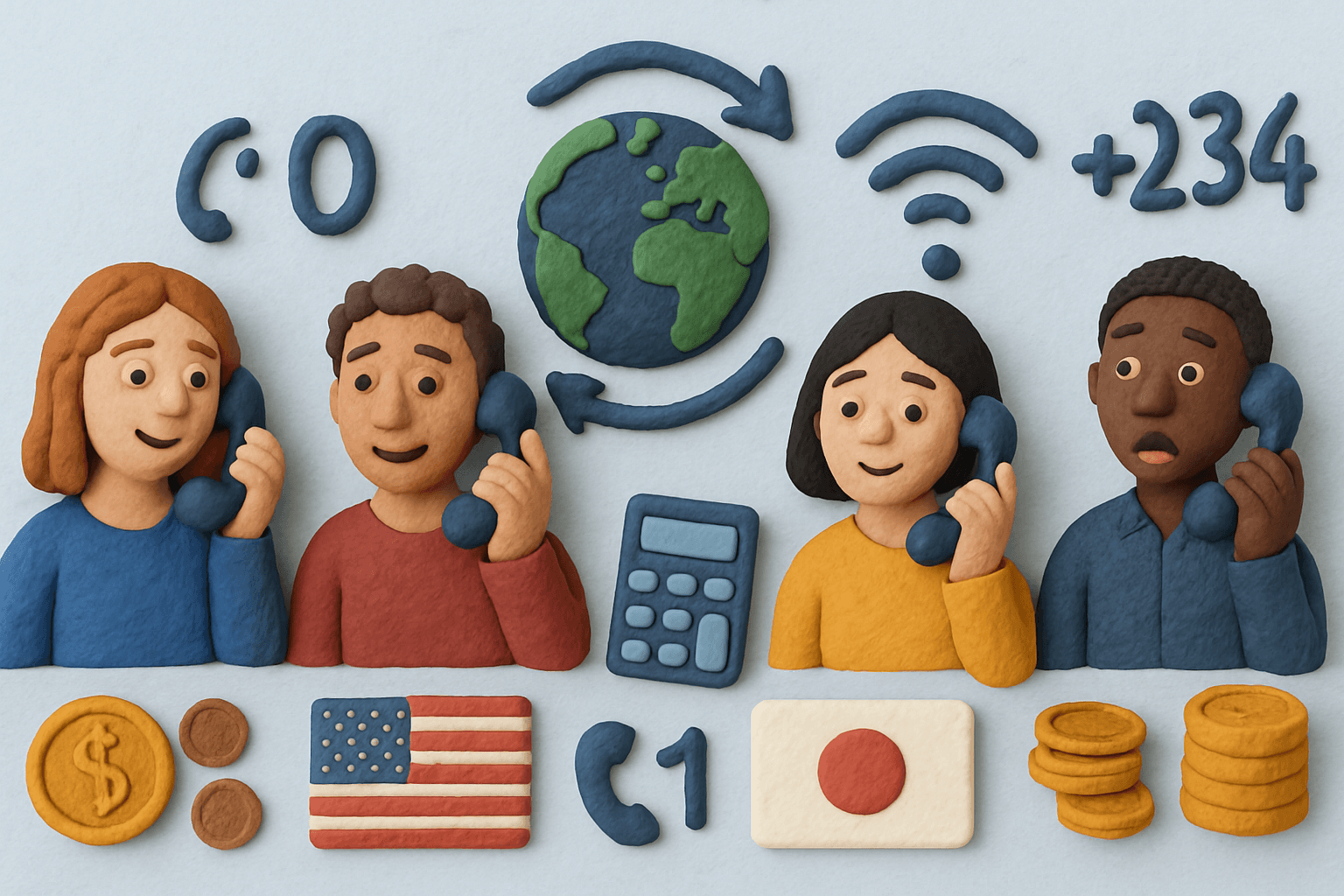
In theory, making an international call should be simple. You type a number, press call, and it connects. In practice, it’s still one of those everyday things that regularly catches people out.
Part of the confusion is that international calling hasn’t evolved in one neat direction. We now have messaging apps, Wi-Fi calling, browser-based calling, roaming plans, eSIMs, and old-school phone networks all existing at the same time. Some options are free, some are surprisingly expensive, and some work perfectly — until they suddenly don’t.
That’s how people end up asking questions like:
Why did this call cost so much?
Why does this number not connect?
Why does it work on Wi-Fi but not on mobile data?
Why can I call some numbers with apps, but not others?
This guide exists to clear that up.
Rather than pushing one “best” method, the goal here is to explain how international calls actually work, what’s going on behind the scenes, and why different approaches behave so differently. Once you understand that, choosing the right way to call someone abroad becomes much more obvious — and a lot less stressful.
We’ll keep this practical, up to date for 2026, and focused on real-world use, not marketing promises.
TL;DR
- International calls still work in several different ways in 2026, which is why they often feel more complicated than they should.
- Every international call relies on routing rules — exit codes, country codes, and network hand-offs — not just the number you dial.
- Costs vary widely depending on whether you’re calling landlines or mobiles, using internet-based calling, or relying on your carrier or roaming.
- App-to-app calling is simple when both people are online, but it doesn’t replace calling real phone numbers.
- Internet-based calling fills the gap when you need to reach landlines, banks, or official numbers without roaming surprises.
- Most international calling problems come from number formatting, hidden billing rules, or using the wrong method for the situation.
- The best option depends on who you’re calling, where you are, and whether internet access is available — not on a single “best” service.
What an international call actually is
At its simplest, an international call is just a phone call that crosses national borders. But the important part isn’t that it crosses a border — it’s what has to happen for that call to get there.
When you call someone in your own country, your phone network already knows where to route the call. The numbering system, the carriers involved, and the pricing are all domestic. Once you call another country, that stops being true.
An international call needs three things to work:
- A way for your network to know the call is leaving the country
- A way to identify which country it’s going to
- A way to hand the call over to the destination country’s phone network
That’s why international numbers look longer and more complicated than local ones. Those extra digits aren’t decoration — they’re routing instructions.
It’s also why international calls can behave very differently depending on how you place them. A call made through your mobile carrier, a calling app, or an internet-based calling service might reach the same person, but it can take a completely different path to get there — with different costs, reliability, and limitations along the way.
Understanding that basic idea — that international calls are routed across multiple networks, not just dialled directly — makes everything else in this guide easier to follow.
The basic anatomy of an international phone number
An international phone number looks longer than a local one because it’s doing more work. It isn’t just identifying a person — it’s telling phone networks where in the world to send the call.
Most international numbers are made up of the same core parts:
An exit code (or the “+”)
The exit code tells your phone network that the call is leaving the country you’re in.
- In the US and Canada, this is usually
011 - In the UK and most of Europe, it’s
00 - On mobile phones, you can usually replace this with
+
The + isn’t a shortcut to a specific country. It simply means “use the correct exit code for wherever I am right now”. That’s why saving numbers in + format works reliably when you travel.
A country code
Every country has a unique country code that identifies its national phone network.
For example:
- UK:
44 - USA:
01 - India:
91 - Germany:
49 - Australia:
61
Once the call reaches the international network, this code determines which country should receive it.
An area code or mobile prefix
Inside each country, numbers are divided into regions or mobile ranges.
This is where people often get caught out. Many countries use a leading zero at the start of domestic numbers. That zero helps route calls within the country — but it doesn’t work internationally.
When calling from abroad, that leading zero is usually dropped.
For example:
- A UK number written locally as
020 1234 5678becomes+44 20 1234 5678 - A Paris landline written as
01 …becomes+33 1 …
The local number
This is the final part that identifies the specific phone line or mobile device.
Once all the routing information is in place, this part works the same way it does for a local call — the network just knows where to deliver it.
A simple way to think about it
Instead of seeing an international number as one long string of digits, it helps to think of it as a set of instructions:
- Leave my country
- Go to this country
- Go to this region or mobile network
- Ring this specific phone
Once you understand that structure, most international calling problems come down to one of two things: a missing digit, or an extra one that shouldn’t be there.
The main ways people make international calls today
There isn’t one single way people make international calls anymore. Most confusion comes from the fact that multiple systems exist at the same time, and they all behave differently.
Broadly, almost all international calls in 2026 fall into one of these categories.
Calling directly through your mobile or landline provider
This is the most traditional option. You dial an international number using your phone’s normal calling app, and your carrier routes the call through the global phone network.
This method:
- Works without internet
- Works with any phone number worldwide
- Is often the default without people realising it
The downside is cost. International carrier rates and roaming charges can be extremely high, especially for mobile numbers, and many people only discover this after seeing a bill. If you’re already on a US carrier, the actual numbers can be eye-opening — see our Consumer Cellular international calling guide for a worked example with the real published per-minute and roaming rates.
App-to-app calling (messaging and social apps)
Apps like WhatsApp, FaceTime, and similar services let you make international calls for free or very cheaply — as long as both people use the same app.
This approach works well when:
- Both people already have the app installed
- You’re calling friends or family
- You have a stable internet connection
It breaks down when:
- You need to call a landline
- The other person doesn’t use the app
- Internet access is limited or blocked
These apps are great for personal use, but they don’t replace international calling entirely.
Internet-based calling to real phone numbers
This category sits somewhere in between traditional calling and messaging apps.
Instead of using your mobile carrier’s international rates, the call is placed over the internet and then connected to the regular phone network in the destination country. To the person receiving the call, it looks like a normal phone call.
People usually choose this option when:
- They need to call landlines or official numbers
- App-to-app calling isn’t possible
- They want predictable, per-minute pricing
The trade-off is that it relies on an internet connection, but it avoids many of the cost surprises of carrier-based calling.
Legacy options (calling cards and shared landlines)
Some people still use older methods like prepaid calling cards or shared landlines, often for specific reasons:
- Limited internet access
- Cash-based payment preferences
- Familiarity with how they work
These options haven’t disappeared, but they tend to involve more steps, more restrictions, and less transparency than modern alternatives.
Why this matters
All of these methods can be described as “making an international call”, but they work in very different ways. Understanding which category you’re using explains most of the surprises people run into — from calls not connecting, to quality issues, to unexpectedly high costs.
In the next section, we’ll look at why international call prices vary so much, and why two calls to the same country can cost wildly different amounts depending on how they’re made.
Why international call costs vary so much
One of the most frustrating things about international calling is that two calls to the same country can cost completely different amounts — even if they last the same length of time.
That isn’t random. It comes down to how international phone networks charge each other behind the scenes.
Landlines and mobile numbers are priced differently
Calling a landline is usually cheaper than calling a mobile phone. That’s because mobile networks charge higher termination fees — essentially a cost for delivering the call to a mobile device.
From the caller’s point of view, the number might look similar. From the network’s point of view, it’s a very different route with a different price.
This is one of the most common reasons people are surprised by their bill.
Different routes, different costs
Not all international calls take the same path.
- A call placed through your mobile carrier may be routed end-to-end through traditional telecom networks.
- An app-to-app call may never touch the phone network at all.
- An internet-based call to a real number may switch networks partway through.
Each route involves different providers, fees, and agreements — and the cost reflects that.
Rounding, minimums, and connection fees
Some services don’t charge purely by the second or minute you actually use.
Common practices include:
- Rounding calls up to the next full minute
- Charging a connection fee every time you place a call
- Applying a minimum call length, even if you hang up early
These details are often buried in terms or rate tables, but they make a big difference in practice — especially if you make lots of short calls.
Roaming changes everything
If you’re abroad and using your normal mobile number, roaming can quietly multiply costs.
Even if the person you’re calling is local to you, your call may still be routed back through your home country first. That can turn what feels like a simple call into an international roaming charge.
This is one of the biggest sources of “I didn’t realise it would cost that much” moments.
The takeaway
International calling isn’t expensive by default — it’s unpredictable if you don’t know which system you’re using.
Once you understand what affects pricing — destination, number type, routing method, and billing rules — the wide price differences start to make sense, and they become much easier to avoid.
Common international calling mistakes (and how to avoid them)
Dialling the number exactly as it’s written locally
Phone numbers are often written in a domestic format, not an international one. That format can include extra digits — especially leading zeros — that only work inside the country.
If a number works locally but not from abroad, this is usually why.
How to avoid it:
Save numbers in international format using + and the country code. That way, the number works no matter where you’re calling from.
Assuming app-based calling works for all numbers
Messaging apps are great for calling people you already know, but they don’t cover everything.
Banks, government offices, hotels, airlines, and landlines often can’t be reached through app-to-app calling at all. That’s when people suddenly fall back to expensive carrier calls without realising it.
How to avoid it:
Know in advance whether the number you’re calling is a mobile, a landline, or an official service number.
Accidentally calling mobile numbers at higher rates
In many countries, mobile numbers are charged at higher rates than landlines. From the outside, there’s no obvious visual difference — especially if you’re copying a number from a website or email.
This is one of the most common causes of unexpectedly high per-minute costs.
How to avoid it:
If costs matter, check whether the destination number is a landline or mobile before calling.
Getting caught by roaming without realising
When you’re abroad, your phone doesn’t automatically behave “locally”. Even short calls can be routed internationally and charged as roaming.
Many people only realise this after returning home and seeing their bill.
How to avoid it:
Be deliberate. Either use Wi-Fi-based calling methods while travelling, or clearly understand your roaming plan before making calls.
Chasing quality problems that aren’t actually network issues
Poor call quality is often blamed on “bad international connections”, but in reality it’s usually caused by:
- Weak Wi-Fi
- Congested mobile data
- Background apps using bandwidth
How to avoid it:
If a call sounds bad, try switching networks or locations before assuming the destination country is the problem.
Once you know these patterns, international calling stops feeling unpredictable. Most problems are consistent, repeatable, and avoidable — as long as you understand which system you’re using and why.
So what’s the “right” way to make an international call?
There isn’t a single best method — there’s just the method that fits the situation you’re in.
In practice, it usually comes down to a few simple questions:
- Who are you calling?
Friends and family can often be reached with apps. Businesses, banks, hotels, and landlines usually can’t. - Where are you calling from?
Calling from home, from abroad, or while travelling on mobile data all change how calls are routed and billed. - Do you have reliable internet?
If yes, internet-based options are usually simpler and more predictable. If not, traditional calling still matters. - How often do you call?
Occasional calls and regular calls behave very differently when fees, minimums, and rounding are involved.
Once those basics are clear, most of the complexity disappears. You’re no longer choosing between dozens of services. You’re just choosing the type of calling that makes sense for what you need to do. If you’re calling for work specifically, our guide to international calling for small businesses covers the additional decisions involved when calls need to scale beyond personal use. If you’re calling the US from the UK, that dedicated guide covers the dial sequence, carrier rates, and the cheapest options for that route. For India-based callers, we cover the same ground in our guide to how to call the US from India. And if you’re calling France from the US, our guide to calling France from the US covers the carrier rates and the freephone-number gotcha.
The rest of this guide is about helping you recognise those situations quickly, so international calling feels boring and predictable instead of confusing.
Where modern internet-based calling fits in
Over the past few years, a middle ground has quietly become the default for many people: making international calls over the internet, but to normal phone numbers.
This approach exists because neither extreme fully solves the problem. App-to-app calling is convenient, but only works when both people use the same app. Traditional carrier calls work everywhere, but are often expensive and unpredictable.
Internet-based calling sits between the two.
In simple terms:
- You place the call using an internet connection (Wi-Fi or mobile data)
- The call is then connected to the regular phone network in the destination country
- The person receiving the call doesn’t need any app or setup
This is why these services are commonly used for:
- Calling landlines or official numbers
- Making international calls while travelling
- Avoiding roaming charges and carrier surprises
- Keeping costs predictable for occasional or regular calls
They aren’t magic, and they still rely on having an internet connection, but they remove a lot of the hidden complexity that catches people out with traditional international calling.
If you’ve come across services like this while researching international calls, this guide should now make it clearer why they exist, and when they tend to make sense.
Frequently asked questions people have about international calling
Do I always need internet to make an international call?
No. Traditional international calls through mobile or landline providers don’t require internet. Internet access only matters if you’re using app-based or internet-based calling services.
Is using the “+” symbol always safe?
In almost all cases, yes. Using + instead of a country-specific exit code tells the network to apply the correct exit code automatically. This is why saving numbers in + format is recommended, especially if you travel.
Are international calls still expensive in 2026?
They can be, but they don’t have to be. Costs depend less on the destination country and more on how the call is made, whether mobile numbers are involved, and how pricing is calculated. For a breakdown of what different options actually cost, see our guide to long distance calling.
Why do some international calls fail to connect?
The most common reasons are formatting issues (extra digits or missing country codes), calling numbers that don’t accept international traffic, or network restrictions in certain countries.
Can I call landlines internationally using apps?
Most app-to-app calling services such as WhatsApp, Facetime or Telegram can’t reach landlines. To call landlines, the call usually needs to connect to the traditional phone network at some point.
A simple way to think about international calling
International calling feels complicated because several systems overlap — old phone networks, modern apps, roaming rules, and internet-based services all exist at once.
Once you understand:
- how numbers are structured,
- why routes and costs differ,
- and which method you’re actually using,
most of the confusion disappears.
There’s no single “best” way to make an international call. There’s just the option that fits what you’re trying to do — who you’re calling, where you are, and how predictable you want the cost to be.
If this guide has done its job, international calls should now feel less like a guessing game and more like a simple, solvable choice.
Making international calls in 2026 isn’t hard — it’s just fragmented. Different methods exist for different situations, and most frustration comes from using the wrong one without realising it. App-to-app calling is great when both people are online, traditional carrier calls still work everywhere but can be unpredictable, and internet-based calling fills the gap when you need to reach real phone numbers without roaming surprises. The key is understanding how numbers are routed, why costs vary, and choosing the option that fits who you’re calling and where you’re calling from — rather than assuming all international calls behave the same way.
Disclosure: ZippCall is an international calling service built around prepaid, pay-as-you-go credit rather than subscriptions. It’s mentioned here for transparency and context, not as a default recommendation.

Entrepreneur and founder of ZippCall. After years living abroad, Josh built ZippCall to make international calling simple, affordable, and reliable.
Ready to Try ZippCall?
Make affordable international calls on web, iPhone, and Android devices. Crystal-clear quality with competitive rates.
1 minute setup. No subscription required.
You might also like


International Calling for Business: An Honest Guide for Founders and Small Teams
A clear, practical guide to international calling for business in 2026. Why costs vary so much between providers, what your real options are, and how to avoid the common subscription traps.
Read article
Make Call From Browser Guide: Easy Steps for 2026
In 2026, more people and businesses than ever want to make call from browser—no extra apps or downloads needed.
Read article
International Calling Cards: The Complete Guide (2026)
The ultimate guide to international calling cards in 2026. Compare the best prepaid phone cards, cheap calling cards, and online options. Find rates, avoid hidden fees, and save on global calls.
Read article